
-
×
 Scott Phillips – Your First $10k
1 × $ 35.00
-
×
 Geoff Cudd – AI Writing Course for Bloggers & Digital Marketers
1 × $ 20.00
-
×
 ContentCreator – Reels, Tik tok, & Shorts Course
1 × $ 25.00


Description
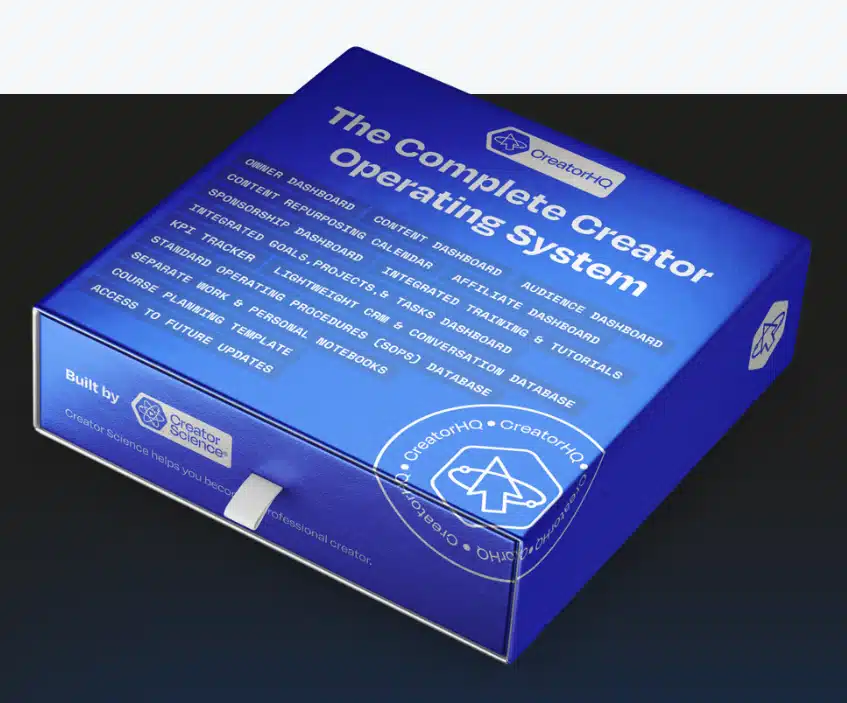
The Complete Creator Operating System by CreatorHQ brings content planning, audience interaction, project management, and performance tracking into one creative workflow. It is designed for creators, entrepreneurs, and marketers managing digital content across projects and platforms.
The course uses step-by-step video tutorials and hands-on exercises to explain how the platform supports creative and business work. Materials include videos, documents, and PDFs.
CreatorHQ skills you’ll build
- 1. Understanding content creation tools and their benefits.
- 2. Strategies for audience engagement and growth.
- 3. Methods for effective monetization of content.
- 4. Importance of analytics in measuring success.
- 5. Building a personal brand as a creator.
- 6. Collaborating with other creators for mutual growth.
A connected system for creative work
CreatorHQ brings project management, content scheduling, audience engagement, and performance analytics together in a central dashboard. The course addresses the practical challenge of keeping track of multiple platforms, creative projects, and deadlines within a single workflow.
Its lessons introduce the platform’s resources and tools alongside strategic guidance for organizing digital media work. Step-by-step tutorials and hands-on exercises connect the tools to everyday tasks, from planning a content calendar to reviewing performance and coordinating projects.
Planning and scheduling content
A publishing calendar can help creators organize content across platforms. CreatorHQ’s scheduling tool allows users to map out weeks or months of material in advance, whether they produce videos, podcasts, blog posts, or social media content.
The course explains how to organize and automate a publishing strategy, including scheduling content for times suited to the audience. Tutorials also cover batch-creating content, automating uploads, and repurposing material across channels, so creators can plan several stages of their publishing process together.
Managing audience interactions
CreatorHQ includes tools for handling audience conversations within the platform. The course teaches the use of comment management, direct messaging, and real-time audience surveys as part of an engagement workflow.
Creators can use these communication features to respond to feedback, address questions, and gather insights from followers. The course also considers how these interactions contribute to relationships around a creator’s content and brand.
Audience engagement analytics provide information about audience behavior and preferences. The lessons connect those insights with decisions about how to adjust a content and engagement strategy.
Using analytics to refine content
CreatorHQ’s analytics and reporting features present information about content performance. The course covers measures including views, engagement rates, click-through rates, and overall audience behavior, with visual insights into how content is received.
Practical examples demonstrate how to interpret analytics rather than simply collect numbers. Creators can use that interpretation to identify content patterns, compare performance over time, and see which material resonates with their audience.
The course also explains how to apply performance data and audience feedback when developing more targeted future content strategies and adjusting an existing approach.
Project management for creative work
CreatorHQ’s project management dashboard gives creators a visual view of content projects and their stages. The course shows how to assign tasks, set deadlines, and track progress as work moves forward.
The workflow also supports coordination with team members, freelancers, and other contributors. By keeping assignments, deadlines, and completion visible, creators can maintain an overview of projects while managing communication and accountability across the people involved.
Who can use CreatorHQ
The course addresses several kinds of professionals who create, manage, or promote digital content. Its scheduling, analytics, and project tools can be applied to individual creative work as well as content-driven business and client projects.
- Content creators and influencers organizing production, scheduling, and promotion.
- Entrepreneurs and business owners managing content-driven marketing initiatives.
- Digital marketers and social media managers coordinating publishing schedules and using analytics for client work.
- Freelancers and creative professionals managing projects and communication with collaborators.
Frequently asked questions
What does The Complete Creator Operating System cover?
The course covers content scheduling, audience engagement, analytics, and project management using CreatorHQ’s tools. It also explains ways to organize and repurpose content across channels.
Who is the CreatorHQ course for?
It is intended for content creators, influencers, entrepreneurs, marketers, social media managers, freelancers, and other creative professionals.
What materials does the course include?
The course includes step-by-step video tutorials and hands-on exercises. The materials are provided as videos, documents, and PDFs.
What types of content can creators plan with CreatorHQ?
The scheduling lessons address videos, podcasts, blogs, and social media posts. They also cover planning content across multiple channels.
Reviews (0)
Be the first to review “CreatorHQ – The Complete Creator Operating System”
Related products
Sale!

Content Creation
Original price was: $ 697.00.$ 30.00Current price is: $ 30.00.
Sale!

Content Creation
Original price was: $ 997.00.$ 35.00Current price is: $ 35.00.
Sale!

Content Creation
Original price was: $ 897.00.$ 50.00Current price is: $ 50.00.
Sale!

Content Creation
Original price was: $ 1.500.00.$ 40.00Current price is: $ 40.00.
Sale!

Content Creation
Original price was: $ 800.00.$ 30.00Current price is: $ 30.00.
Sale!

Content Creation
Original price was: $ 1.497.00.$ 35.00Current price is: $ 35.00.
Sale!

Content Creation
Original price was: $ 497.00.$ 30.00Current price is: $ 30.00.
Sale!

Content Creation
Original price was: $ 800.00.$ 30.00Current price is: $ 30.00.

Reviews
There are no reviews yet.