
-
×
 Matthew Neer – Broadcast Mentor
1 × $ 30.00
-
×
 Nathan Haston – OnlyFans Agency Guide V2
1 × $ 30.00
-
×
 Kristina Azarenko - Tech SEO Pro
1 × $ 30.00
-
×
 Lea Gucciardi - Shopify Code(x) Course
1 × $ 30.00
-
×
 Jason Wardrop – Real Estate Agency Accelerator
1 × $ 40.00
-
×
 Kendall & Josh - ECOM-PHD
1 × $ 30.00
-
×
 Steve Cunningham – AI Academy + Fast Track
1 × $ 60.00
-
×
 Alyssa Brady – The Website Sprint System
1 × $ 25.00
-
×
 Simon Dixon – Retirement Plan
1 × $ 35.00
-
×
 Stefan Georgi – The Expert AI Ad Bundle
1 × $ 50.00
-
×
 Steven Chandler – Coaching Prosperity School
1 × $ 30.00
-
×
 Team Bull Trading Academy
1 × $ 25.00
-
×
 Marisa Murgatroyd – The Experience Product Masterclass 2023
1 × $ 35.00
-
×
 Alicia & Lorette – Ai Innovators Club
1 × $ 20.00
-
×
 Justin Welsh - The Operating System-Grow & Monetize
1 × $ 20.00
-
×
 Andrea Unger – Master the Code & Go LIVE
1 × $ 30.00
-
×
 Frank Kern & Aaron Fletcher – Special Bundle (36 courses)
2 × $ 35.00
-
×
 Karolis Piliponis – Instagram Creator Course (Ultimate Bundle)
1 × $ 30.00
-
×
 Iman Gadzhi - Copy Paste Agency
1 × $ 25.00
-
×
 Billy Gene – 5 Day A.I. Crash Course for Marketers
1 × $ 20.00
-
×
 Private Wealth Profits – Overnight Lien Profits
1 × $ 30.00
-
×
 Geoff Cudd – AI Writing Course for Bloggers & Digital Marketers
1 × $ 20.00
-
×
 Humberto Malaspina – Day Trading and Swing Trading Futures with Price Action
1 × $ 25.00
-
×
 Bob Serling – Multi-Licensing Framework
1 × $ 35.00
-
×
 Andre Chaperon – Collection
1 × $ 30.00
-
×
 Simpler Trading – Stop Missing Hidden Trades Elite
1 × $ 35.00
-
×
 Davey and Krista – How to Become a Website Designer
1 × $ 40.00
-
×
 Eddie Cumberbatch – Creator Accelerator
1 × $ 50.00
-
×
 Van Tharp – Bear Market Strategies
1 × $ 25.00
-
×
 Top Trade Tools – Swing Trader Pro for (Ninja Trader, Trade Station, Think or Swim, Sierra Charts, eSignal, Custom ATR)
1 × $ 35.00
-
×
 Charm Offensive – Charming AI Pack
1 × $ 35.00



Description
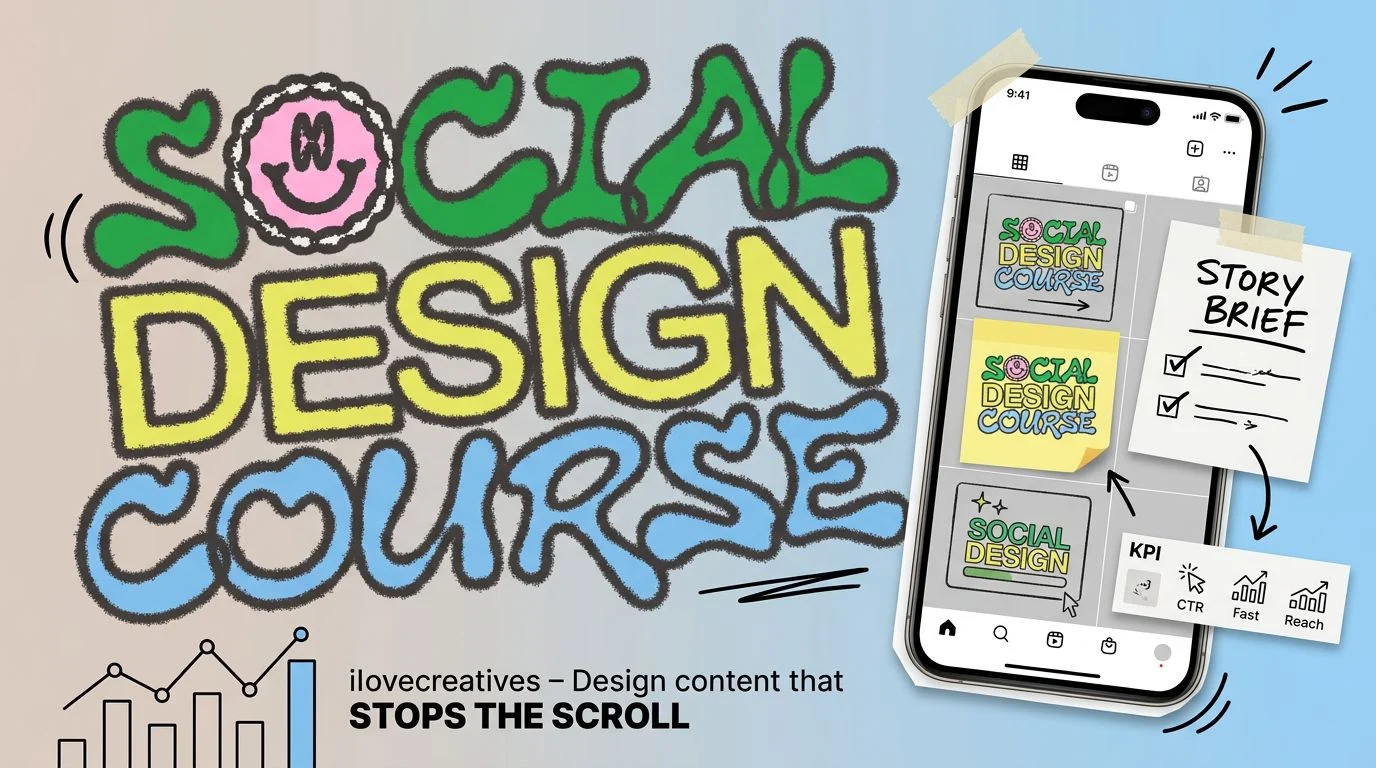
ilovecreatives Social Design Course, taught by James Junk, follows a practical workflow from interpreting a client brief to delivering a social campaign. Paired video lessons and PDF references support both learning the process and returning to individual topics while working.
The course focuses on visual production for social content and is suited to learners with basic design and tool confidence.
Social design skills you’ll build
- Interpret real-world briefs and identify useful project constraints
- Audit social feeds and translate observations into visual systems
- Build a reusable social design toolkit in Figma
- Develop campaign directions, carousels, and paid ad sets
- Version and quality-check assets across social formats
- Present work through case studies, pitches, and pricing decisions
Social Design Course materials
The course includes 28 main lesson pairs and a bonus workshop pair, with each MP4 video accompanied by a same-named PDF. The materials total 5.51 GB, giving learners a video demonstration and a matching reference document for each topic.
The six curriculum sections are Real World Briefs, Social Brand Audit, Build Your Toolkit, Creating Social Campaigns, Design Versioning, and Portfolio/Pitching/Pricing. Together, they trace the stages of a social design project rather than treating each post as an isolated task.
From a brief to a social design system
The early lessons examine client briefs and project constraints before moving into feed reading and social brand audits. Learners consider a 12-post grid and use observations from a brand’s social presence to inform a visual system.
Toolkit building in Figma is central to the workflow. The course moves through gathering assets and making moodboards, then develops modular social components that can be reused across related posts. This approach makes choices about type, color, framing, graphic elements and relationships within a feed easier to apply consistently.
With that foundation in place, the curriculum turns to campaign directions, carousels and paid ad sets.
Versioning and presenting campaign work
After developing campaign concepts, the course addresses versioning, quality control and packaging assets for different social formats. These stages consider how visual hierarchy and a campaign’s direction carry through as designs are adapted.
The final section moves into portfolio case studies, pitching, freelancing and pricing, connecting the finished design work with the decisions involved in presenting it to others.
Tools and design background
Figma is used for toolkit construction, and learners benefit from familiarity with design tools and basic design principles. A design degree is not required.
The curriculum concentrates on social design execution rather than a comprehensive graphic design foundation or the broader operation of social channels. Topics such as analytics, scheduling, community management and media buying are outside its stated focus.
Bonus typeface workshop
The bonus workshop, Designing a Typeface, Designing Its Launch, is included as an MP4 video with a corresponding PDF.
Frequently asked questions
What does the Social Design Course cover?
The course covers briefs, brand audits, Figma toolkits, social campaigns, versioning and presentation. It also addresses portfolios, pitching, freelancing and pricing.
Who is the course suited to?
It suits freelance, in-house and brand designers, as well as recent graduates and content-adjacent professionals with a basic visual design foundation.
What materials are included?
The course contains 29 MP4 videos and 29 corresponding PDFs, totaling 5.51 GB. These include a bonus workshop on designing a typeface and its launch.
Do I need to know Figma or have a design degree?
Figma is used to build the social design toolkit, and basic design-tool confidence is useful for the practical work. A design degree is not required.
Reviews (0)
Be the first to review “ilovecreatives – Social Design Course”
Related products
Sale!

Artificial Intelligence
Original price was: $ 497.00.$ 25.00Current price is: $ 25.00.
Sale!
Artificial Intelligence
Original price was: $ 120.00.$ 35.00Current price is: $ 35.00.
Sale!
Artificial Intelligence
Original price was: $ 297.00.$ 60.00Current price is: $ 60.00.
Sale!

Artificial Intelligence
Yury Yeltsov – Video Creation By Using Artificial Intelligence
Original price was: $ 210.00.$ 55.00Current price is: $ 55.00.
Sale!

Artificial Intelligence
Original price was: $ 397.00.$ 35.00Current price is: $ 35.00.


Sale!

Artificial Intelligence
Original price was: $ 145.00.$ 35.00Current price is: $ 35.00.

Reviews
There are no reviews yet.